
INTRODUCTION
If you are my long time die hard follower of mine, you will know that I have reiterated many times that we must have physical gold at all times in addition to cash.
I published an article on where to buy gold back in February 2025 when spot gold was about RM400 per gram. Today (27th Dec 2025), the price of Spot Gold is near or at an All Time High of RM590 per gram.

Most of you know that I burn money on Luxury Brands too because I know I can’t take my money to the grave so I might as well spend it on my wife and children and hear them say thank you while I’m alive. Most people will tell you they want to experience the service at the boutiques and owning a luxury brand item….. which is true too…… I have been to the toilet at Chanel Amsterdam and Cartier Barcelona, haha.
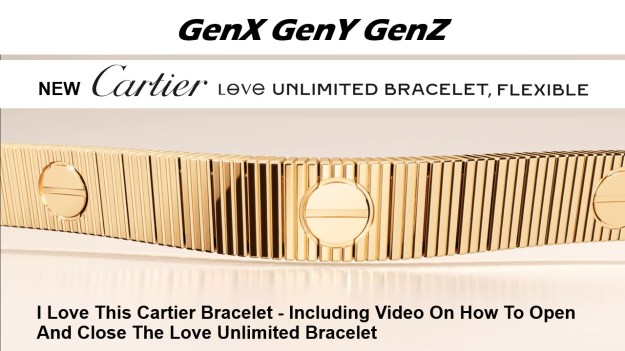
Recently, in November I bought the Cartier Love Unlimited Flexible Bracelet 18K Yellow Gold. I paid about RM40K for it and when I weighed it, it was only about 30 grams. Well based on today’s 18K Gold Price of about RM470 per gram, my Cartier Love Unlimited Bracelet is still worth less than RM15K if I were to base on RM470/gram market price in Malaysia for 18K Gold.
Click the image below to read about my Cartier Love Unlimited Bracelet:
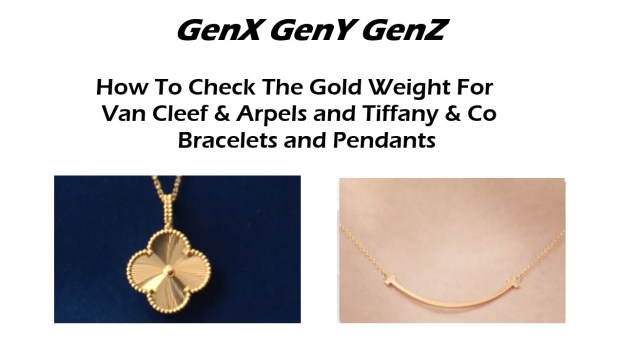
I also have bought Van Cleef & Arpels 18K Yellow Gold pendants for my wife and daughters. Actually, I have also bought my older daughter VCA bracelet and earrings plus a Tiffany & Co Smile pendant. Below is my wife’s VCA pendant, it is very simple but it is also kind of hard to get.

Then yesterday, 26th Dec 2025, I bought a 24K 999 Gold bracelet even though the price of Spot Gold was flying towards RM590/gram, I told my older daughter, because this said bracelet is 999 24K Gold, I can walk into any pawn shop anywhere on earth and get some cash without losing much compared to the price I paid for it (it can be more or less depending on Gold Spot rate).
I also told my older daughter that Cartier, VCA and Tiffany, basically their gold price in terms of weight is really low compared to the price we paid for it.
She then told me that we can check the weight of Tiffany and VCA 18K Yellow Gold at their Korea websites. My older daughter knows Korean and she showed me how many grams is the Tiffany & Co’s Smile Small Bracelet.
In respect to the above, I tried to navigate the Tiffany’s Korean website but was having a hard time as I can’t read Korean. So I decided to use Google Translate and magically everything turned into English!
So I decided to create How To Check Weight of VCA and Tiffany 18K Yellow Gold Bracelet, Pendant and Earring for you 🙂
How To Check Tiffany & Co 18K Gold Weight
Click here to watch the tutorial video at YouTube to see how to check Tiffany 18K Yellow Gold Weight for their Pendants, Bracelets, Rings and Earrings. However the product must not contain any diamonds and some never products may not have the weight stated too.
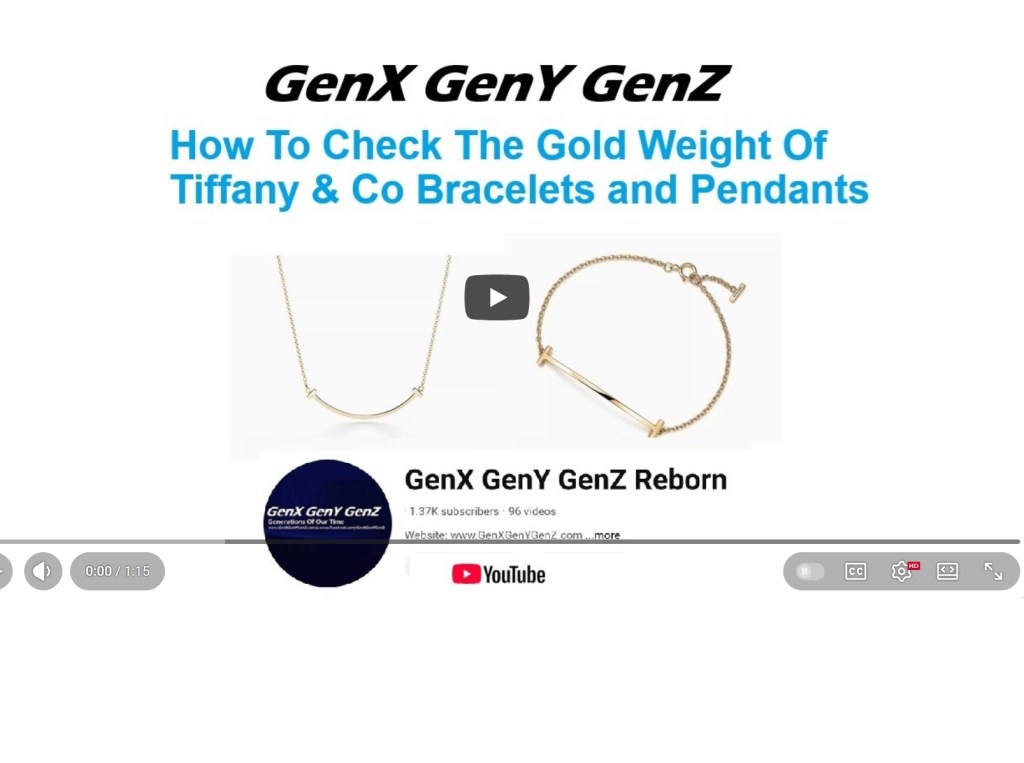
I know not everyone may be into videos, so here below are the Steps to check the weight at Tiffany Korea Website:
Step 1 and Step 2 – At Google search for Google Translate

Step 3 – Select Website and Step 4 key (or paste link) in address
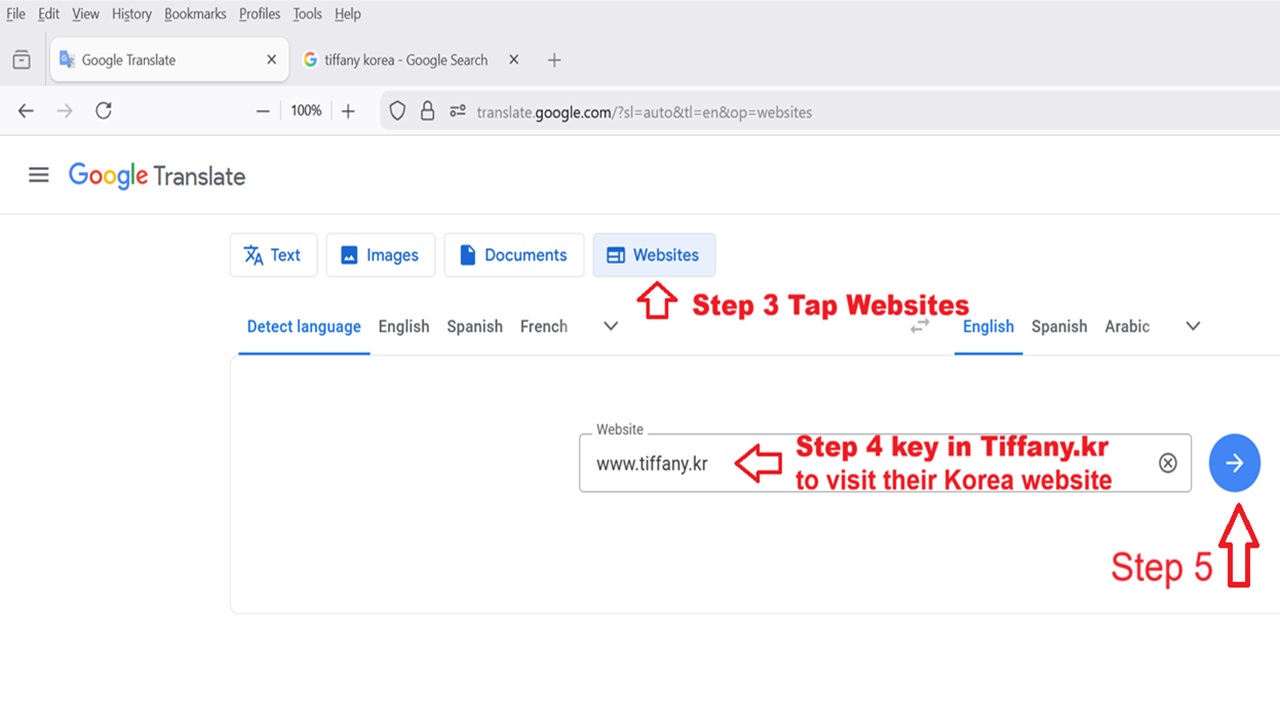
Step 5 – tap on go to Original Page if necessary
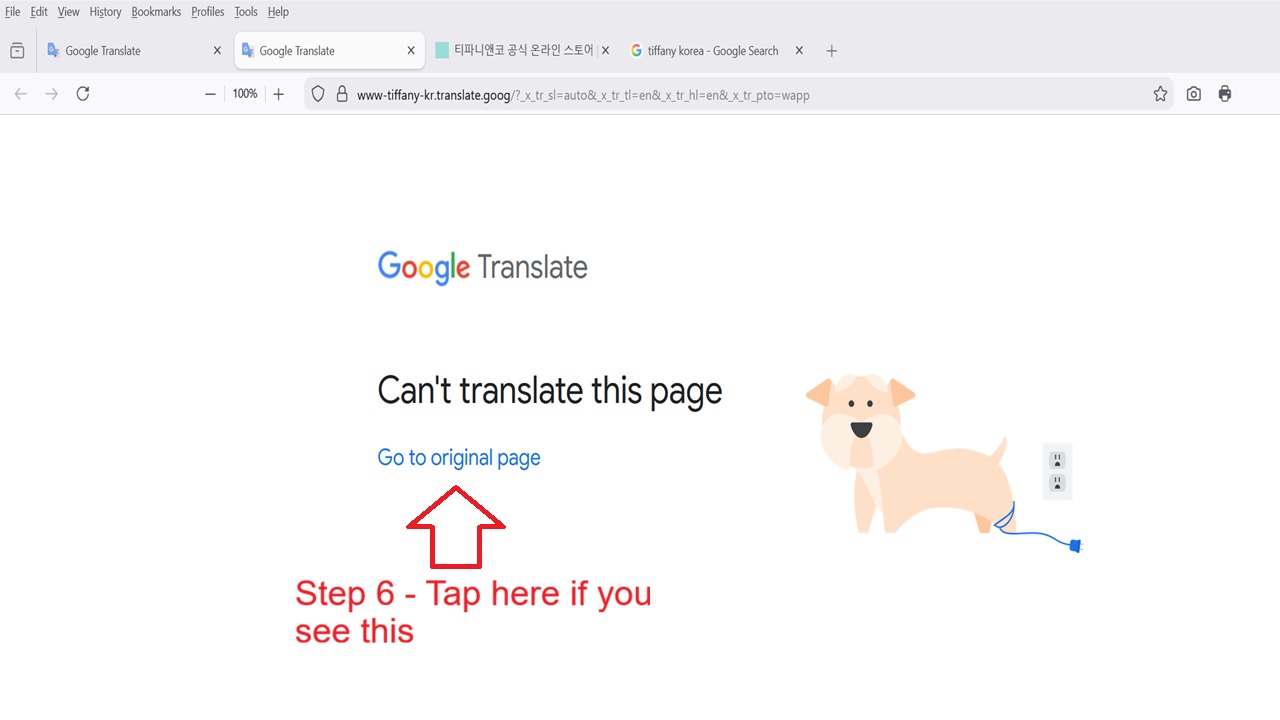
Step 6 – Click/Tap on Translate
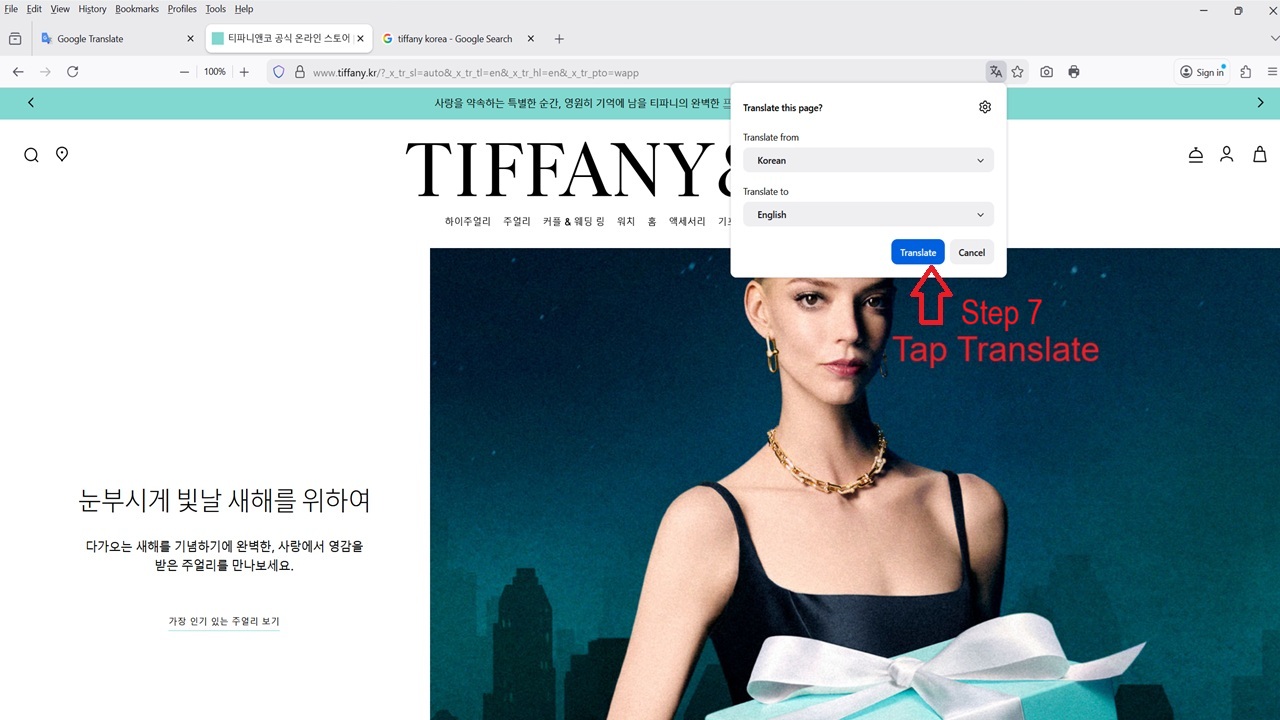
And the website will be translated from Korean to English!
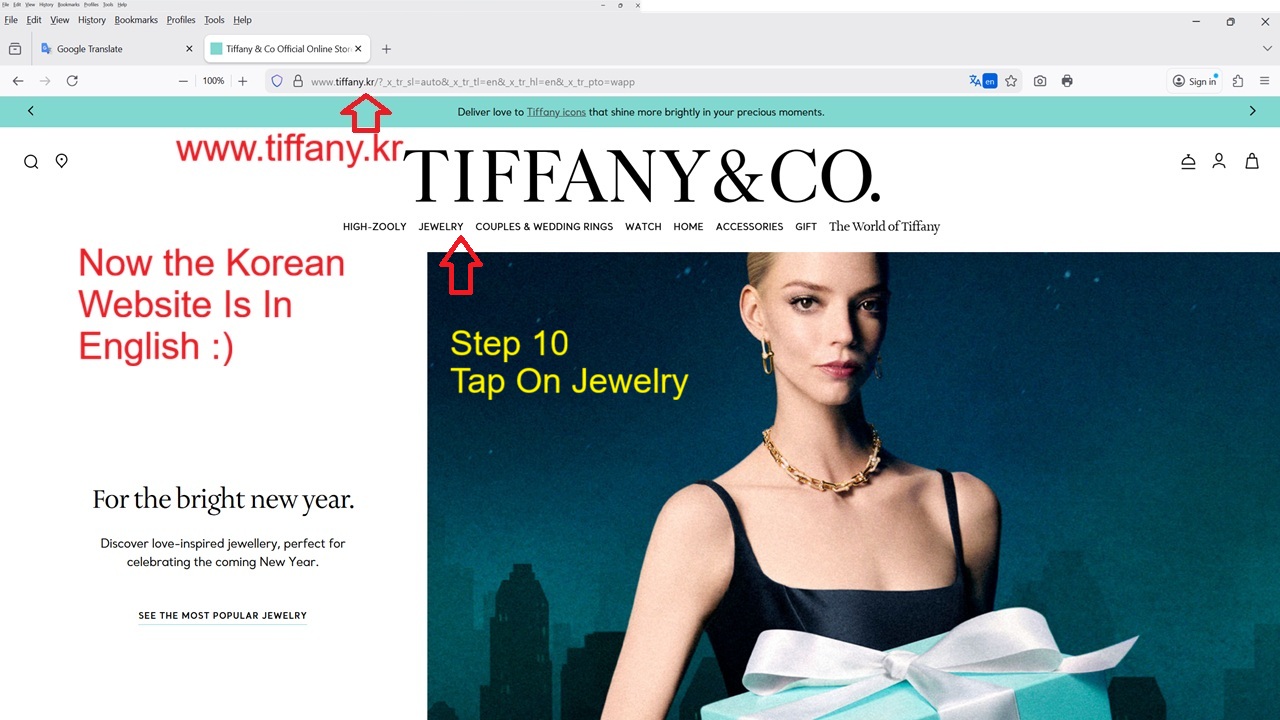
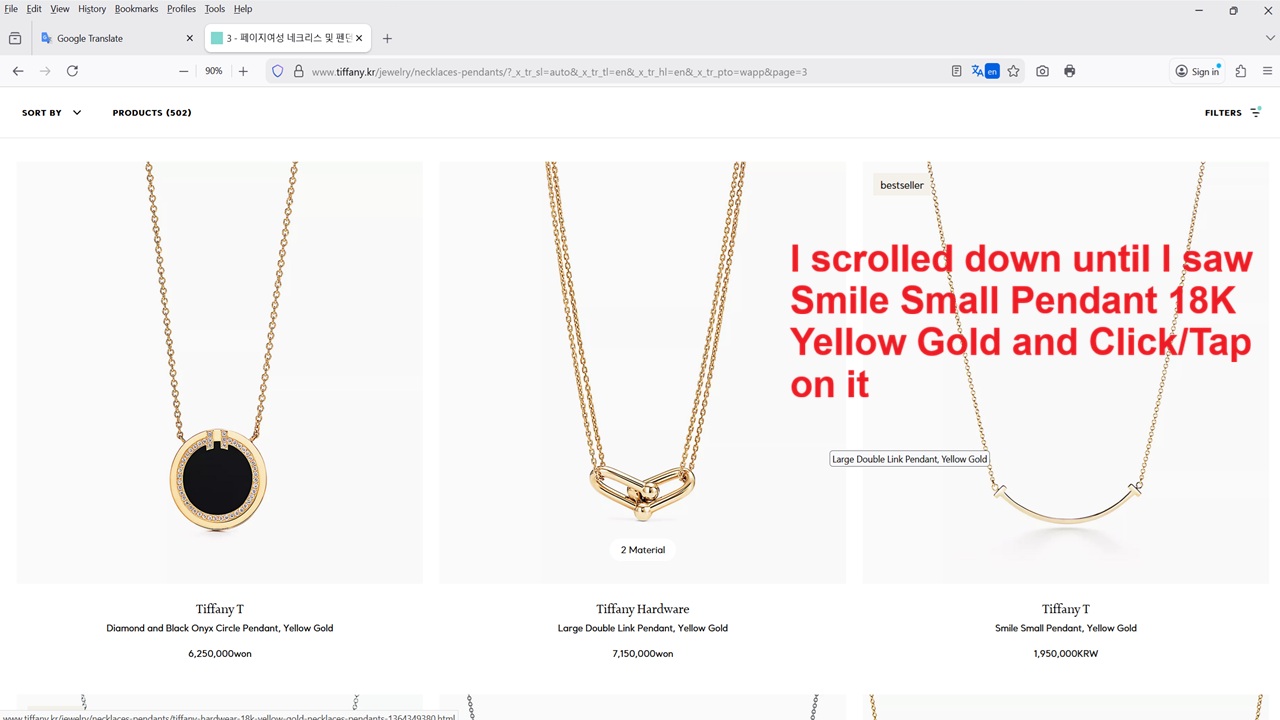
Click/Tap on Jewelry and Select the Product you want. I selected Pendant
Now sometimes the webpage may not be translated! So you will need to copy the “address” and close the browser and reopen and repeat Steps 1 to 3 and at Step 4 paste the link.

After I selected Pendant, I scrolled down until I found the Smile Small Pendant in 18K Yellow Gold and Click/Tap on it.
Then scroll down until you see MORE and Click/Tap on it.
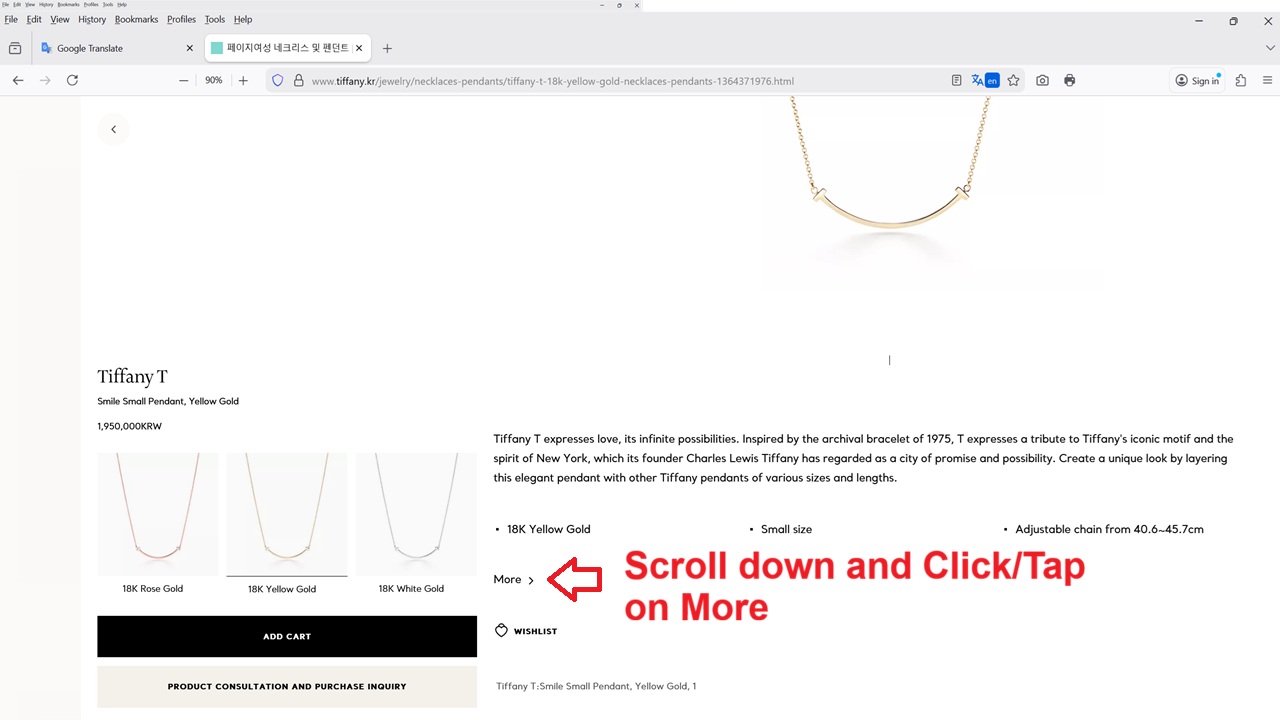
After you have done the above, you will then see the Gold Weight

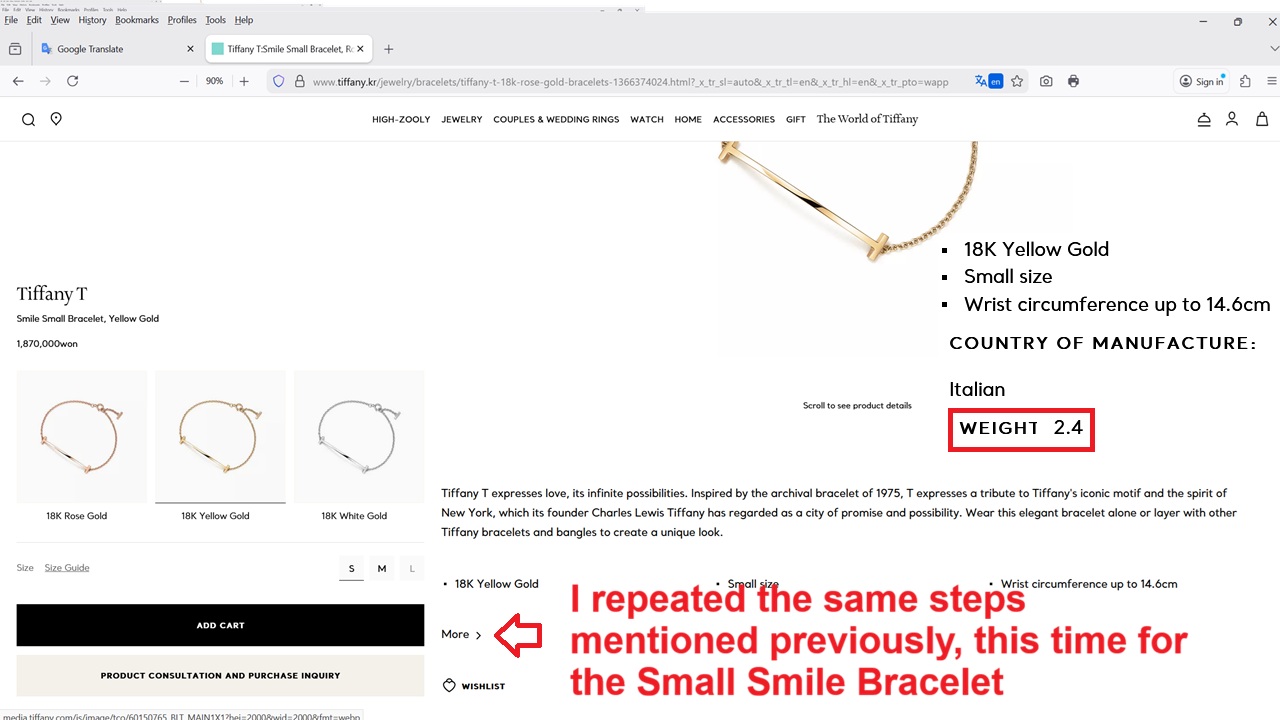
I repeated again the Steps above for the Small Smile Bracelet
So is the Tiffany Small Smile Pendant and Small Smile Bracelet Worth it?
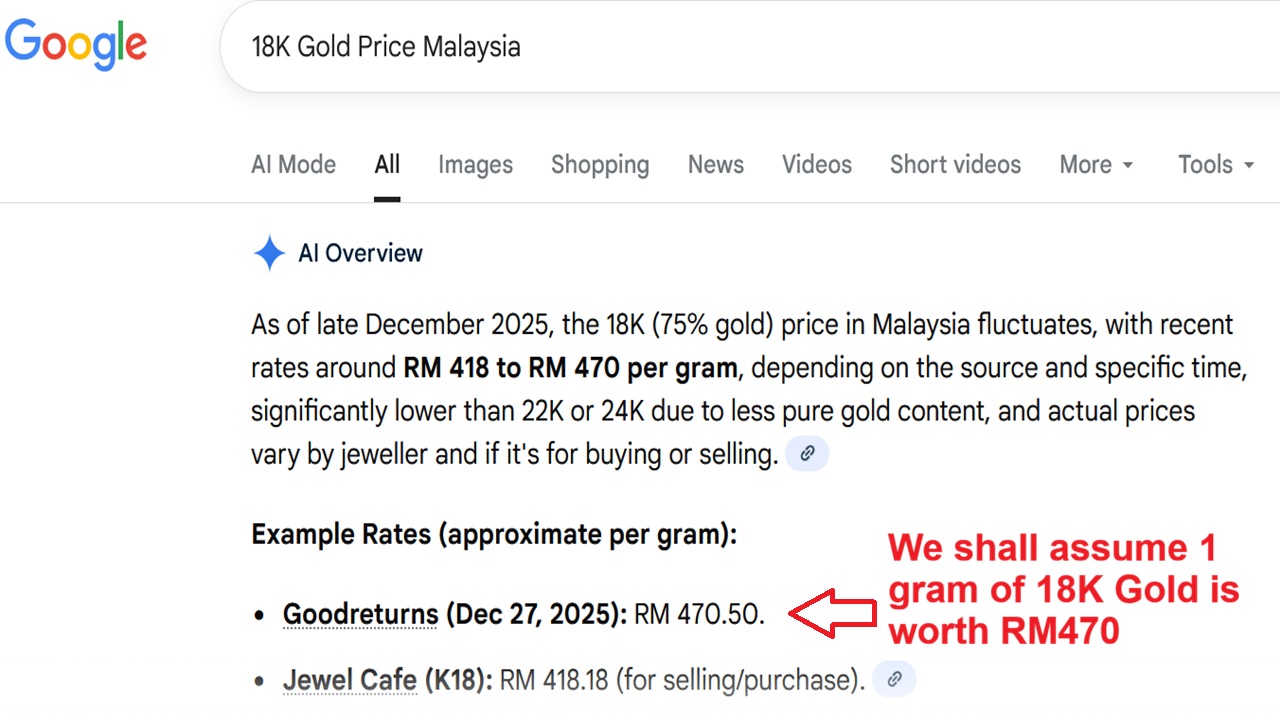
I googled the price of 18K Gold and it stated that as of 27th Dec 2027, it was RM470 per gram.
So with the Tiffany Small Smile Bracelet weight of 2.4 grams and 18K Gold Price of RM470 per gram, the bracelet is worth RM1,128 versus the retail price in Malaysia at RM5.150.

As for the Tiffany Small Smile Pendant, the weight is 2.97 grams, and based on 18K Gold price of RM470 per gram, it is worth RM1,395.90 versus the retail price of RM5.400.
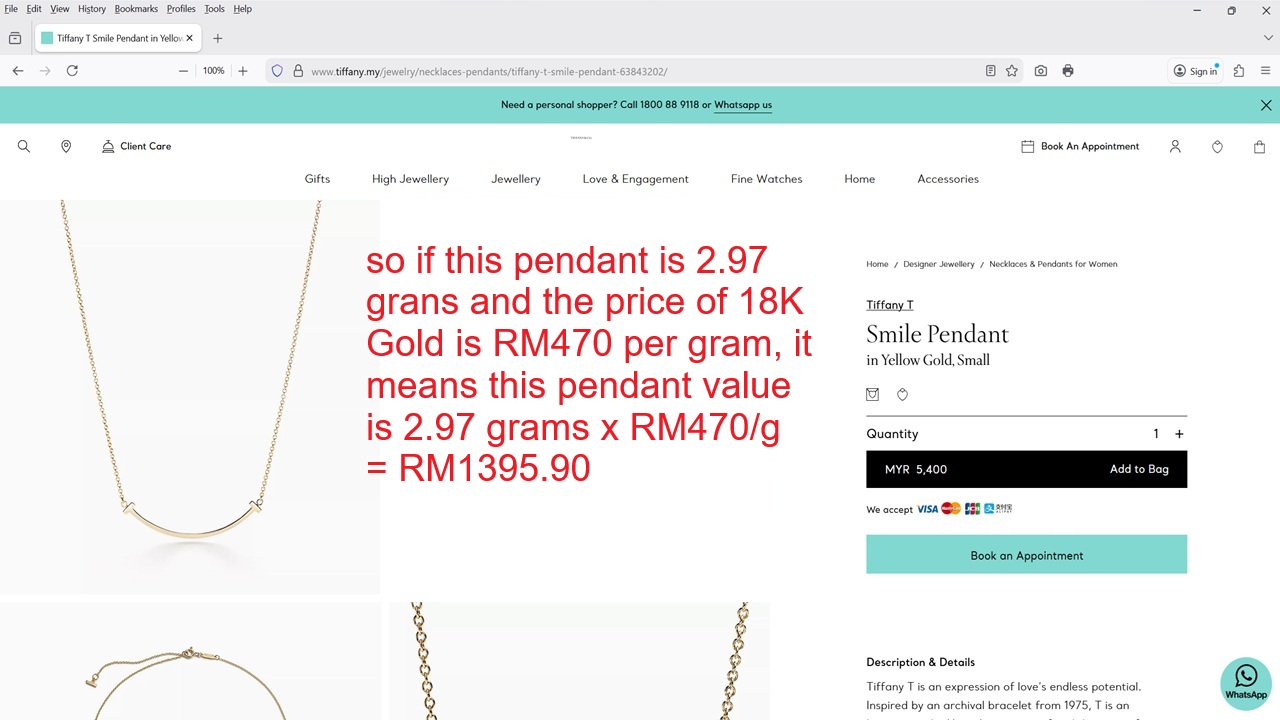
So if you are a calculative person like me, you will definitely agree with me that the Tiffany Smile Small Pendant and Bracelet are not worth the retail price. I can say the same thing for diamonds regardless natural or lab grown where both are worthless when we want to resell them. HOWEVER, if you have attained the level of “Chaik Bui Liow” and acknowledge the fact that we cannot take our money to the grave, these Luxury Brands and diamonds (regardless natural or lab grown) will give many freaking wonderful “shiok sendiri” sensations, haha.
How To Check the Gold Weight for Van Cleef & Arpels 18K Yellow Gold Bracelet, Pendant and Earrings
You can follow the steps above BUT I tell you my Samsung Android Phone is much easier where I just have to go to the VCA Korea website and it will translate every webpage for me without fail!
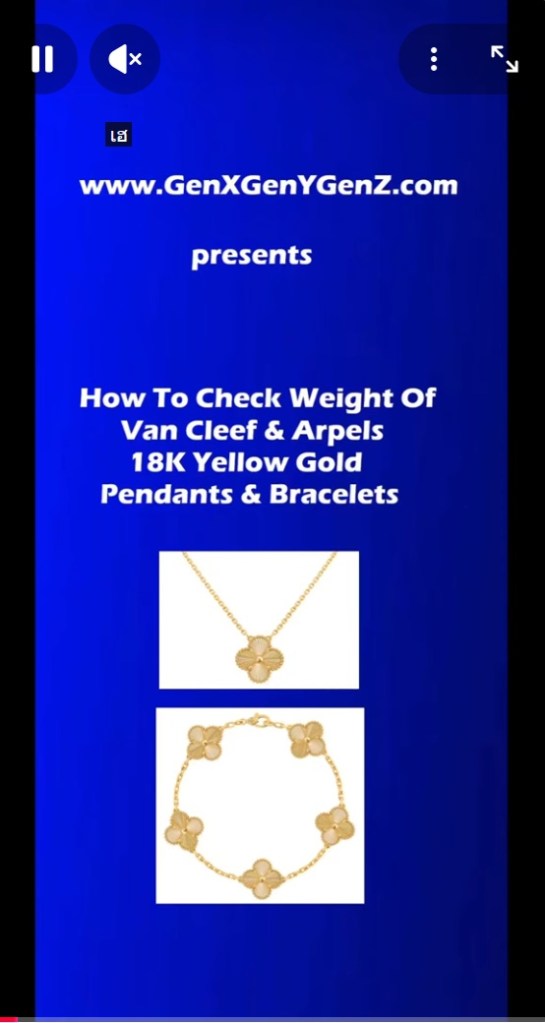
Click here to the YouTube video I created to show you How To Check The Gold Weight of VCA Pendant on your smartphone, You can also easily search for other gold products’ weight.
CONCLUSION
Seriously, if you want to invest in gold, I have shown you where to buy gold, either Online Gold Savings Account or Pamp Physical Gold Bars at the start of this article. Having said these, those who had listened to me and bought gold before 2025 are making a lot of money.
However, if you want to “shiok sendiri” sensations, then go wear a Cartier or VCA or Tiffany product including handbags from Hermes and Chanel plus also a Rolex or Patek. And of course today with lab grown diamonds, which are flawless, anyone can also afford a Diamond Tennis Bracelet.
Nowadays we can also easily get fake Luxury Brand products at many places including Shopee which will also give many shiok sendiri sensations, hahahaha. It is all about experience during our short time on planet earth,
But if you buy a Luxury Product, example Rolex or Cartier, and you store it the safe only, I guess you are a fool and have yet to acknowledge that you can take your Luxury Products and other assets (cash, properties, gold bars and etc) to the grave. Then again, someone else may inherit and get to enjoy your money and luxury products (selling them), haha.
 GenX GenY GenZ
You must be logged in to post a comment.