

Introducing Enrich Hotels
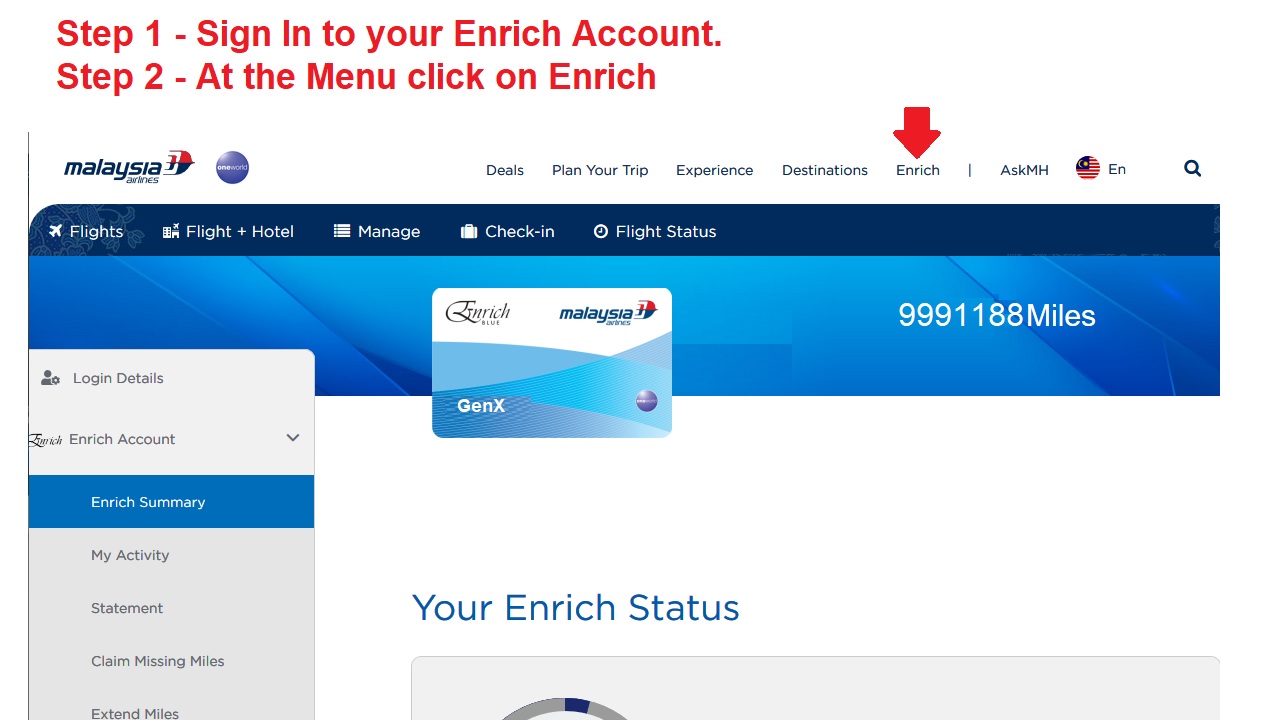
Step 1 Sign In To Your Enrich Account
Step 2 Click on Enrich
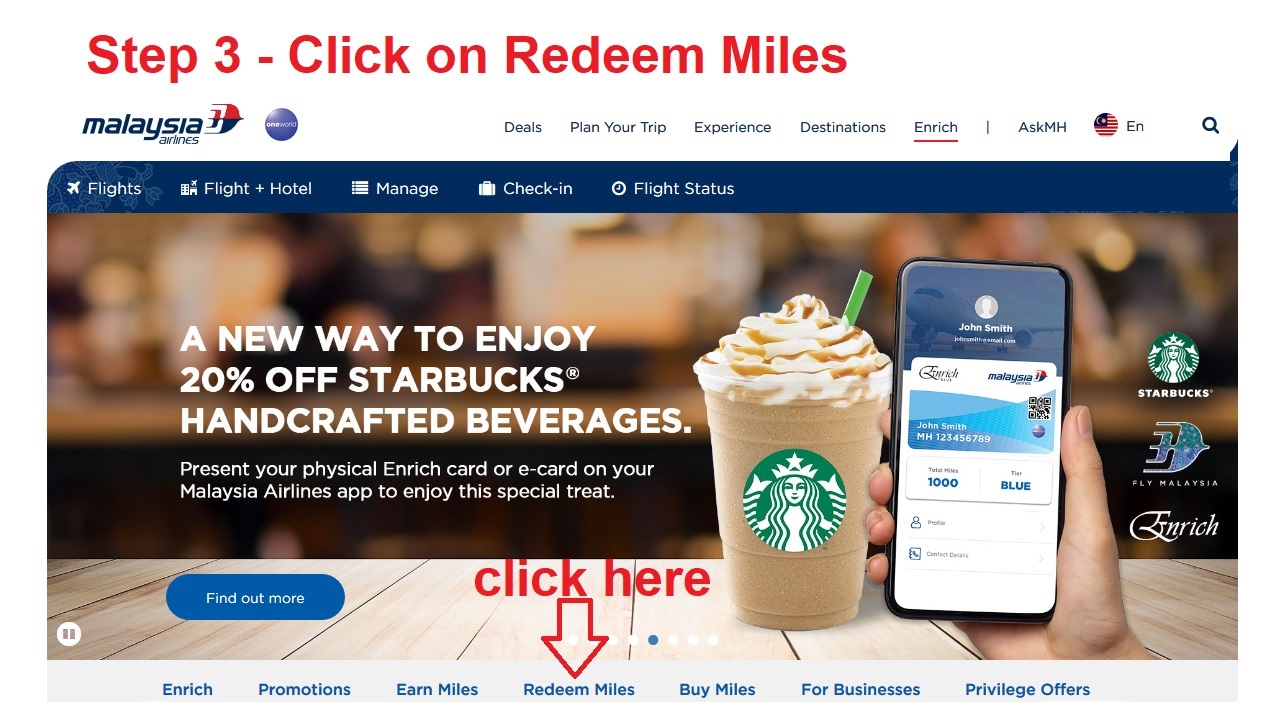
Step 3 – Click on Redeem Miles
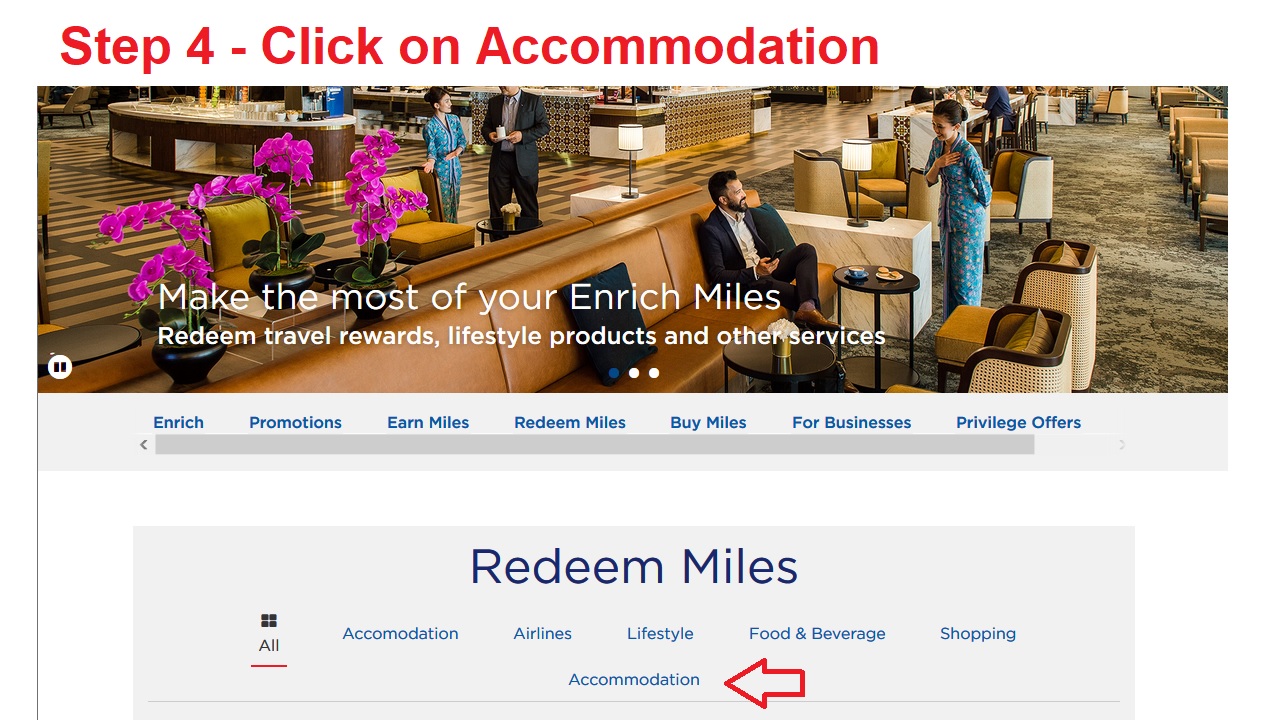
Step 4 – And you will see that you have many options to redeem with your Enrich Miles. Click on Accommodation.
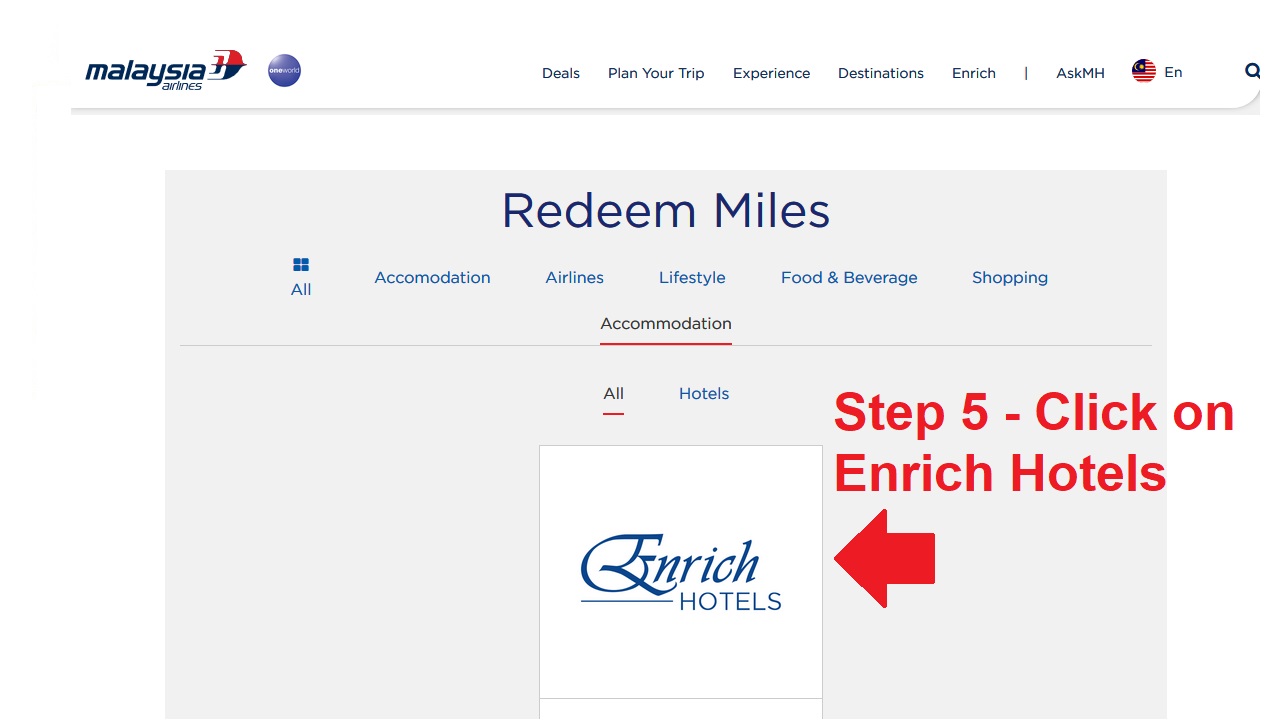
Step 5 – When you select Accommodating, basically you only have one option that is Enrich Hotels.
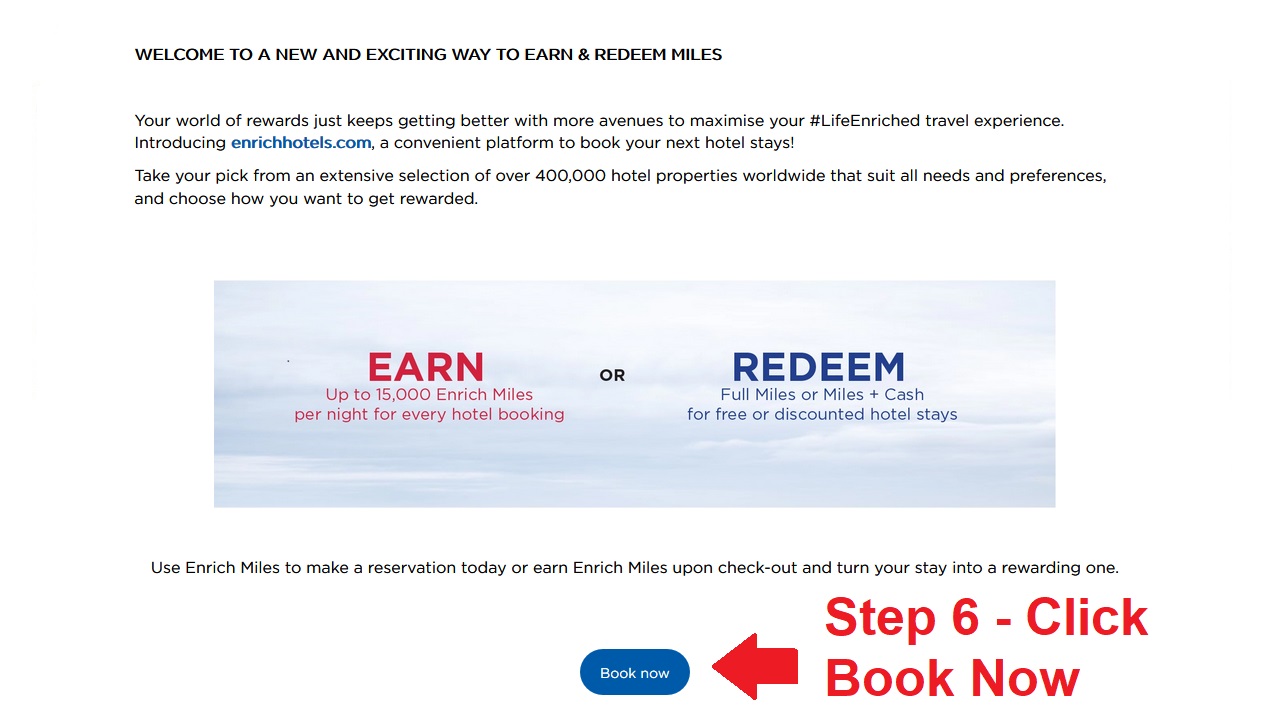
Step 6 – Click on Book Now
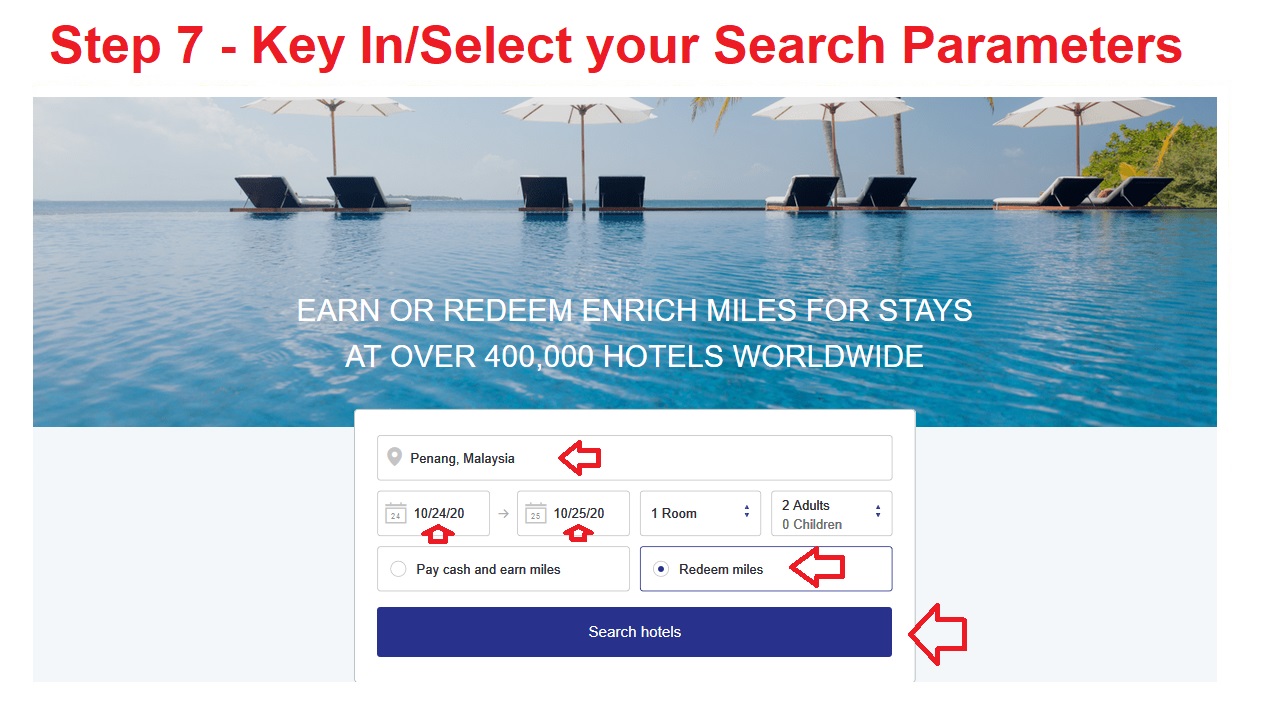
Step 7 – Key In your Search Parameters. I have selected Penang as shown in the image below.
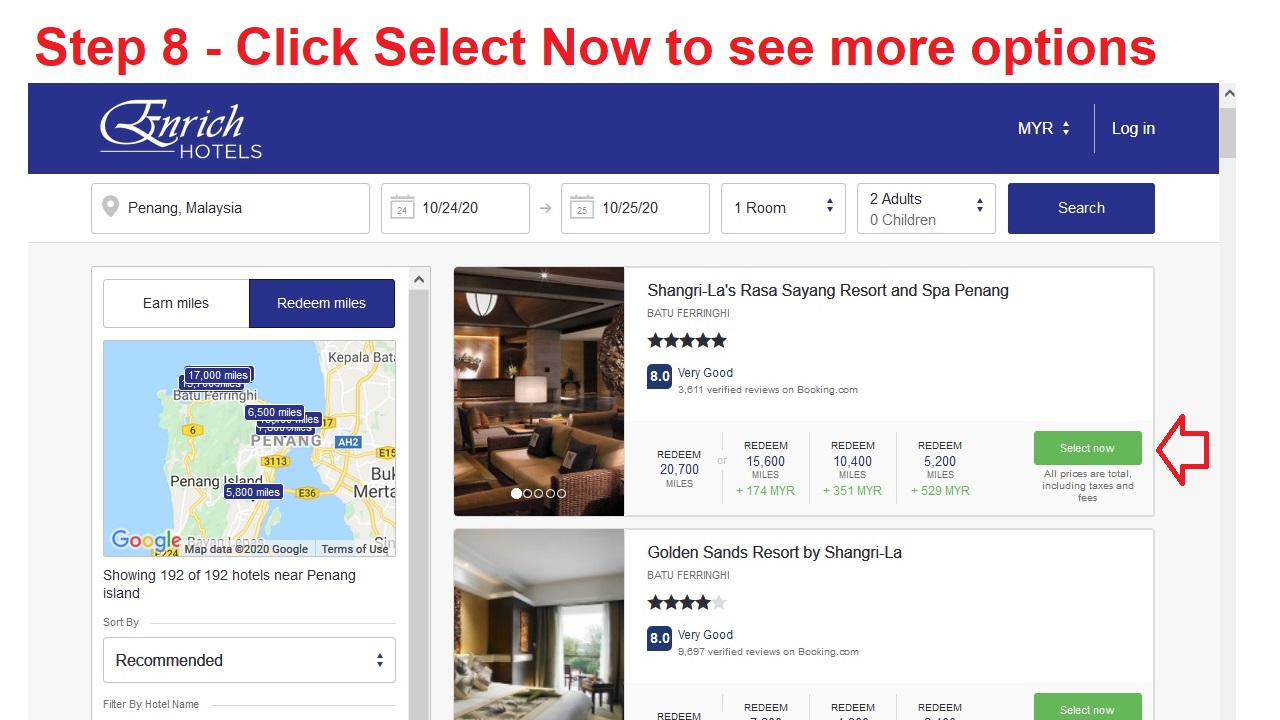
Step 8 – Enrich Hotels will then show you the list of hotels available for you to redeem with your Enrich Miles. Click on Select Now (the green button) and you will see the rooms options.
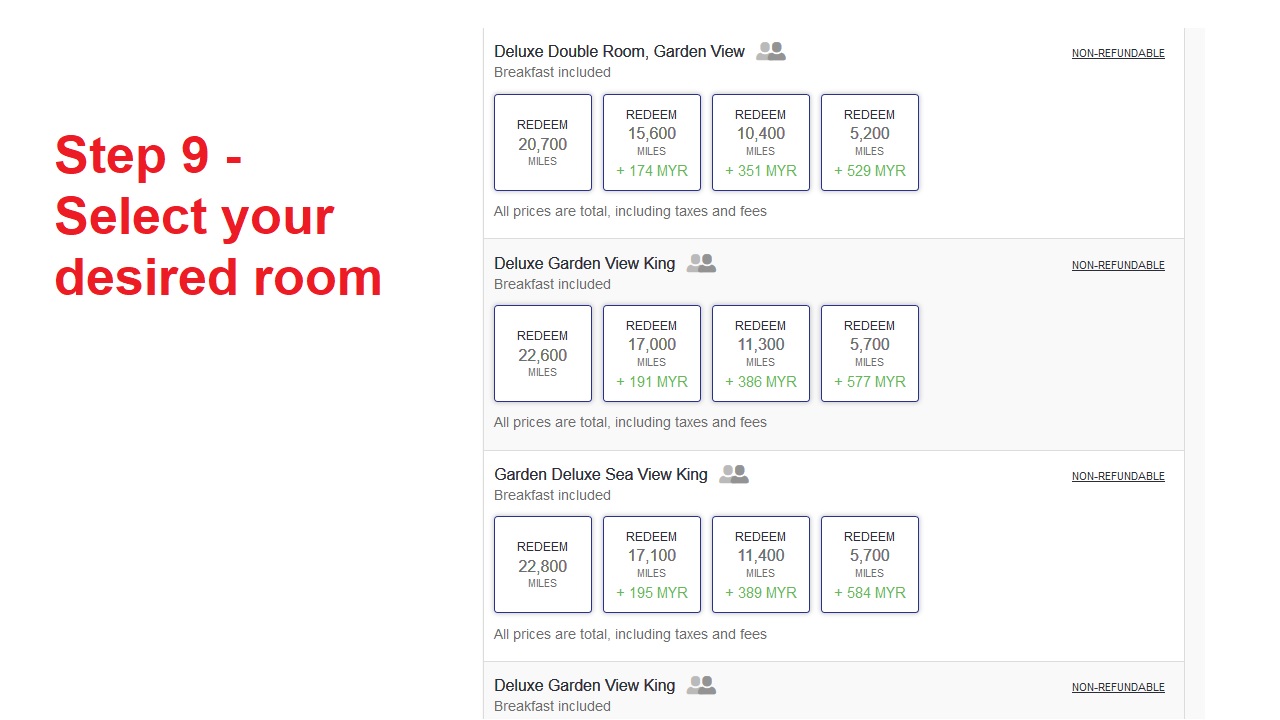
Step 9 – Select your desired room
If you observe carefully at the upper right hand corner in the above image in Step 8, you will note that it is stated “Log In”. In step 1, I already Signed In to my Enrich Account but it is asking me to do so again. I had to Log In several times and then only I managed to successfully Log In to Enrich Hotels.
 GenX GenY GenZ